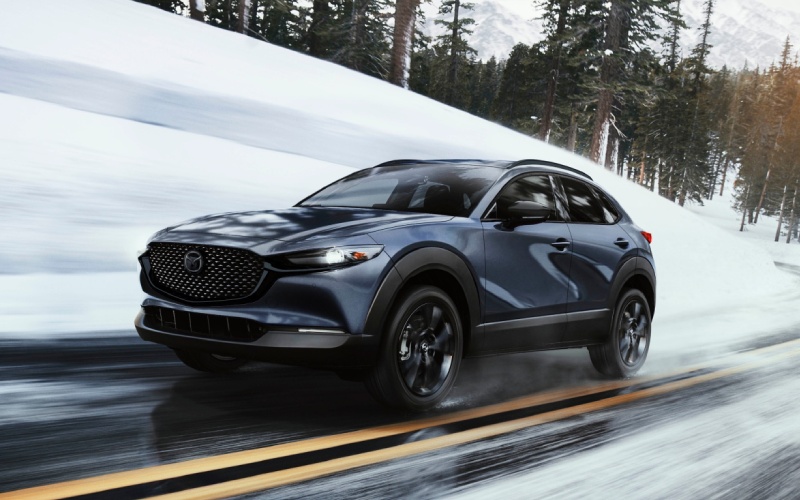
Huntington Beach Mazda - How does remote start with the MyMazda App work on the 2026 Mazda CX-30 for Irvine, CA drivers?
Remote start can be more than a convenience feature when it is thoughtfully integrated into your routine, and Mazda Connected Services makes it simple to use on the 2026 CX-30 through the MyMazda App. If you are heading out from a home office, wrapping up at the gym, or juggling a pickup near a busy retail center, starting the engine remotely and preparing the cabin before you arrive can reduce those small points of friction that add up during the day.
Because this capability lives inside the MyMazda App, you are not relying on line-of-sight key fob range. Instead, your compatible smartphone communicates through Mazda Connected Services, so you can start the engine, check vehicle status, or lock the doors from virtually anywhere with a data connection. That means even if your CX-30 is parked several floors down in a garage or across a large lot in Irvine, CA, you can still prepare for departure on your terms.
What remote start can do for you day to day
The appeal is straightforward. You can remotely start the engine through the app, and the vehicle can begin conditioning the interior according to your last-used climate settings. You can also check whether doors are locked, confirm tire pressure status readings, and view helpful alerts before you head downstairs. If you cannot recall exactly where you parked after dinner, the app can help locate your vehicle on a map, shaving precious minutes off your evening.
Pair this with available Alexa Built-in and voice becomes another useful layer of control once you are inside the vehicle. Ask to adjust climate, play a specific playlist, or place a call as you pull away—tasks that feel seamless because the interface is natural and consistent.
Getting started is simple
Setup is designed to be straightforward. After you take delivery, download the MyMazda App and create or sign in to your account. From there you add your vehicle by VIN, confirm ownership, and activate Mazda Connected Services. The service is complimentary for one year, which makes it easy to integrate into your daily life from day one without extra steps or added subscriptions up front.
Once connected, explore the Remote tab in the app to find engine start, lock and unlock, and vehicle locator functions. You will also see service-related tools, including maintenance schedules tailored to your mileage and quick access to roadside assistance. It is a hub for everyday needs plus peace-of-mind checks before longer drives.
Tips to make the most of the app around town
Small habits can help you extract the most value. If you park in a covered structure near a workplace in Irvine, set a quick routine to start the engine and check locks five minutes before departure. If you share driving duties, have each driver install the app and sign in so both can access remote features and trip-ready checks. For weekend errands, use the vehicle locator to mark your spot on arrival so you are never wandering with grocery bags in hand.
For those who prefer voice-first control once seated, available Alexa Built-in complements the app with natural speech. Tell Alexa to set a comfortable cabin temperature, navigate to your next stop, or call home. The result is a connected experience that feels calm and coordinated instead of hurried.
How remote start pairs with safety and assistance
Remote start is about reducing small hassles rather than replacing attentive driving. The i-Activsense® suite—featuring technologies such as Blind Spot Monitoring, Rear Cross Traffic Alert, and Smart Brake Support functions—supports you once you are on the move. The combination of proactive preparation through the app and thoughtful assistance on the road keeps both the pre-drive and on-drive experience composed and predictable.
It is also worth noting that while remote start is practical, it is designed to work within local regulations and best practices. The app requires secure sign in, and commands are confirmed in the interface, so you always know the status of your request. If a command cannot be completed, you will receive a notification to try again or check conditions.
Where remote features truly shine
Orange County life often means mixed-use parking and quick transitions—fitness class to coffee meet-up, office to market, venue to home. It is in these in-between moments that MyMazda’s remote tools really show their value. You can confirm locks before walking into a crowded event, check a status alert during a meeting break, or start the engine from your table as you settle the check. The features blend into your routine, saving seconds here and minutes there.
And because the 2026 CX-30 offers available in-cabin technology like the 10.25-inch center display, wireless smartphone integration, and the Bose® 12-speaker premium audio system with Centerpoint® and AudioPilot®, the connected experience stays consistent from app to dashboard. You are not juggling disparate systems—just a single, cohesive approach to staying on schedule.
Frequently Asked Questions:
Do I need to be close to the vehicle for remote start to work
No. Because commands go through Mazda Connected Services, you can start the engine from virtually anywhere with a data connection, whether your CX-30 is across a large lot or in a different part of town.
Is Mazda Connected Services included for the first year
Yes. The service is complimentary for one year, so you can begin using remote start, door lock commands, and vehicle locating capabilities right away.
Can I share remote access with another driver in my household
Yes. Each authorized driver can install the MyMazda App and sign in, which makes coordinating pickups, check-ins, and departures straightforward for everyone.
How does this fit with voice control inside the vehicle
Once seated, available Alexa Built-in lets you handle in-car tasks with natural voice, such as adjusting climate, selecting music, or managing calls, complementing what you started in the app.
When you are ready to test how remote start and connected features fit your routine, stop by a retailer that understands local driving patterns. Huntington Beach Mazda, serving Irvine, Westminster, and Santa Ana, can walk you through setup, demo the app functions on-site, and tailor a test route that mirrors your daily drives so you can see how everything comes together.